Why AI-Edited .js Files Switch to CRLF Line Endings — When BOM and LF Break, Tested
A .js file that had been BOM + LF for months came back as CRLF after I asked an AI to change one line. The culprit wasn't the AI — it was the path the AI used to save the file. I edited the same file 13 different ways and traced how 24 files flipped in a real repository.
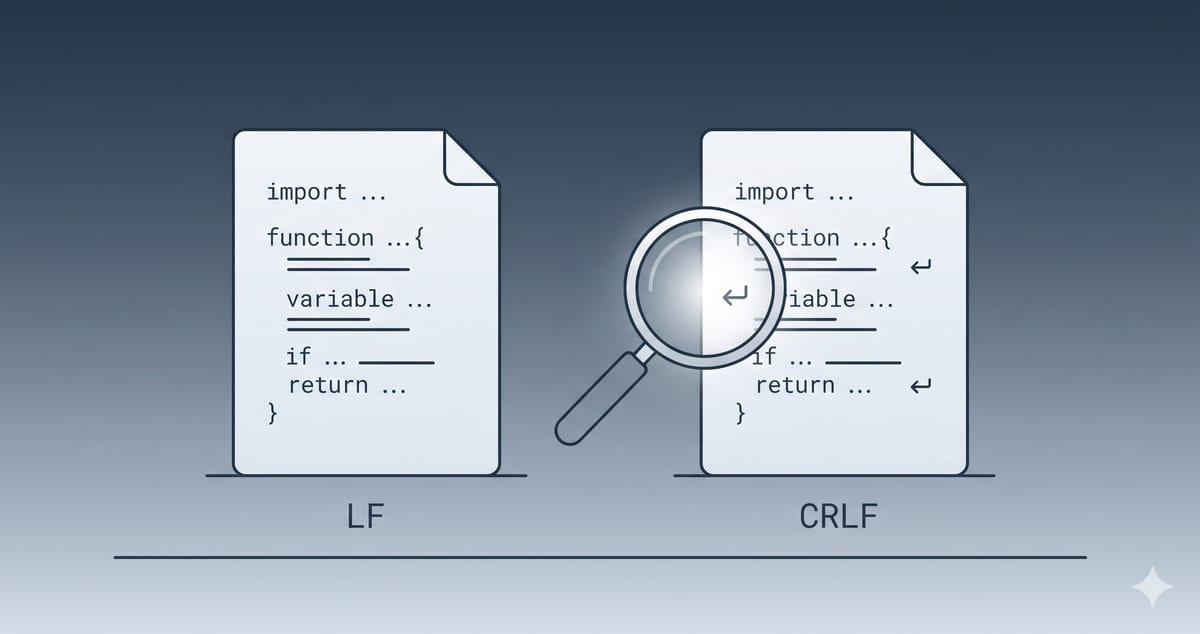
You ask an AI to change one line in a .js file, and when you go to commit, git says the entire file changed. Open it and the content looks identical — but every line now ends in CRLF line endings instead of LF. Short answer: the cause isn't the AI, it's the path the AI used to save the file. On Windows, when an AI edits a file through a Python script (open(p, 'w')) or PowerShell (Set-Content), the line endings flip to CRLF, and in some cases the BOM disappears too. When the same AI edits through its coding tool's partial-edit tool (Claude Code's Edit tool), the original BOM and line endings stay exactly as they were. Even within the same coding tool, the Write tool, which rewrites the whole file, saves with LF no matter what the original used.
In the repository behind the site I run, 24 files flipped this way over about a month. I edited the same file with 13 different tools to compare which ones change it and which ones don't.
BOM, LF, and CRLF — Three Invisible Bytes and One More
Quick definitions first. None of these show up on screen; they only exist in the file's bytes.
| Name | Actual bytes | Where it lives | Typically used by |
|---|---|---|---|
| LF | 0A (\n) | End of every line | macOS, Linux, most web projects |
| CRLF | 0D 0A (\r\n) | End of every line | Windows Notepad, PowerShell, Python's default on Windows |
| UTF-8 BOM | EF BB BF | First 3 bytes of the file | Some Windows editors, some legacy code |
The BOM is a marker that says "this file is UTF-8," and UTF-8 doesn't actually need it. So some tools add it, some strip it, and some leave it alone. Line endings work the same way — every tool has its own default. The catch is that a tool's default can differ between reading and writing. Some tools accept anything when reading, then write using their own default. Pass a file through one of those just once and every line ending in it changes.
What Actually Happened — One Small Edit, an 824-Line Diff
My site's repository has no .gitattributes. Every .js file used to be LF, but after a handful of AI-assisted commits between September and October 2026, 24 of the 107 main text files had turned into CRLF. Counting carriage returns per commit pinned down exactly when each one flipped.
| File | Lines actually changed | Change recorded by git |
|---|---|---|
| Calculator script (.js) | +26 / −9 | +824 / −807 |
| README.md | +10 / −1 | +205 / −196 |
| Content loader (.js) | +25 / −0 | +197 / −172 |
| Calculator list (.js) | +3 / −1 | +95 / −93 |
"Lines actually changed" comes from git diff --ignore-cr-at-eol, which ignores line-ending differences. I changed about thirty lines; git recorded the whole file as deleted and rewritten.
The Culprit, Found in the AI's Session Log
Claude Code keeps session logs locally. Going through the logs right before those commits, every file that flipped had been edited by the AI with a Python script like this:
p = 'lib/content.js'
s = open(p, encoding='utf-8').read()
# ... string replacements ...
open(p, 'w', encoding='utf-8').write(s)
The AI reached for scripts like this whenever it wanted to change several files at once, or to assert that a target string appeared exactly once before replacing it.
The meta-tag checker script was the clearest case. When the AI first created it with the Write tool, it was LF. A minute later the AI fixed one regex line with a Python script, the file became CRLF, and it went into its very first commit that way. Same session, same AI — the result depended entirely on which tool did the saving.
13 Tools, One File — When CRLF Line Endings Appear
To confirm the cause, I ran an experiment. I created a two-line .js file saved as BOM + LF, changed one line with each tool, and checked the bytes. For tools whose result depends on the original line endings, I also tested a BOM + CRLF file and split the rows.
Environment: Windows 11, Python 3.10, Node 22, Windows PowerShell 5.1, Git 2.53 (GNU sed 4.9 and GNU grep 3.0 in Git Bash), and Claude Code as of October 2026. Results may differ in other environments — Claude Code's Write and Edit behavior in particular can change between versions.
| How it was edited | Original | BOM | Line endings |
|---|---|---|---|
| Claude Code Edit tool | BOM + LF | Kept | LF kept |
| Claude Code Edit tool | BOM + CRLF | Kept | CRLF kept (new lines also CRLF) |
| Claude Code Write tool (overwriting an existing file) | BOM + LF | Kept | LF kept |
| Claude Code Write tool (overwriting an existing file) | BOM + CRLF | Kept ※ | Changed to LF |
| Claude Code Write tool (new file) | — | None | LF |
Python open(p, 'w', encoding='utf-8') | BOM + LF | Kept | All CRLF |
Python: read as utf-8-sig, write as utf-8 | BOM + LF | Removed | All CRLF |
Python open(p, 'w', encoding='utf-8', newline='') | BOM + LF | Kept | LF kept |
Node fs.writeFileSync | BOM + LF | Kept | LF kept |
Git Bash sed -i | BOM + LF | Kept | LF kept |
Git Bash sed -i | BOM + CRLF | Kept | CRs stripped, now LF |
PowerShell Get-Content -Raw → Set-Content | BOM + LF | Removed | LF + one CRLF at the end (mixed) |
PowerShell Out-File -Encoding utf8 | BOM + LF | Kept | LF + one CRLF at the end (mixed) |
PowerShell (Get-Content) line by line → Set-Content -Encoding UTF8 | BOM + LF | Kept | All CRLF |
.NET [IO.File]::WriteAllText | BOM + LF | Removed | LF kept |
git checkout with core.autocrlf=true | BOM + LF | Kept | CRLF in working copy only |
※ On my machine the BOM survived, but in a separate measurement the same operation removed the BOM too (the file's first bytes were ea b0 80 — the Korean character "가" — instead of the BOM ef bb bf). Both measurements agreed that the line endings changed to LF.
The row that matches "it was BOM + LF, now it's BOM + CRLF" exactly is Python's default text mode.
Edit or Write — Same AI, Same File, Different Results
The most striking result from the extra tests was the difference between Claude Code's two tools.
- Edit swaps out only the part of the file being changed. It left the original BOM and line endings alone, and new lines followed the file's existing line endings (CRLF in a CRLF file).
- Write writes the whole file with new content. Even when the original was CRLF, the result was LF. In a file that was already LF there's no visible difference, which is why my first round of tests missed it.
So even when the same AI edits the same file, the result depends on which tool did the saving. That makes this post's conclusion — the cause is the save path, not the AI — even clearer. More precisely, it's neither "files turn into LF" nor "files turn into CRLF": pass a file through a save path that doesn't preserve its original state, and it takes on that path's defaults.
sed -i — The Result Depends on the Original Line Endings (Correction)
(Correction) I originally wrote only that "Git Bash
sed -ikeeps BOM and LF." That came from testing LF files only. Runsed -ion a file that was CRLF and every CR gets stripped, leaving LF (the BOM survives). LF files are unchanged.
You can check it yourself:
printf '\xef\xbb\xbfconst a = 1;\r\nconst b = 2;\r\n' > crlf.js
printf '\xef\xbb\xbfconst a = 1;\nconst b = 2;\n' > lf.js
sed -i 's/const b = 2;/const b = 3;/' crlf.js lf.js

for f in crlf.js lf.js; do
  echo "$f  BOM=$(head -c3 $f | od -An -tx1)  CR=$(tr -cd '\r' < $f | wc -c)"
done
# In Git Bash, crlf.js comes out with CR=0
Python Text Mode — The Most Common Case
When Python opens a file in text mode, it treats line endings differently on the way in and on the way out.
- Reading: it converts both
\r\nand\nto\n. Your code has no way of knowing what the original file used. - Writing: it converts
\nto the operating system's default —\r\non Windows,\non macOS and Linux.
So the same script does nothing on a Mac and rewrites the whole file as CRLF on Windows. If you move between machines, this is where "it was fine yesterday, it's broken today" comes from.
The BOM survives for a related reason. Reading with encoding='utf-8' turns the 3-byte BOM into a single invisible character (U+FEFF) at the start of the string, and writing turns that character back into a BOM. Read with utf-8-sig instead and the BOM is stripped on the way in — so the moment you write with plain utf-8, it's gone.
The fix is one argument. Pass newline='' and Python leaves line endings alone.
s = open(p, encoding='utf-8', newline='').read()
open(p, 'w', encoding='utf-8', newline='').write(s)
PowerShell 5.1 — BOM Gone, CRLF Tacked On
PowerShell 5.1, which ships with Windows, is trickier. Without an explicit encoding, Set-Content writes using the system's default code page — CP949 on Korean Windows. In my test, rewriting a UTF-8 file containing a Korean comment through Get-Content -Raw | Set-Content stripped the BOM and turned the Korean text into CP949 bytes. Any build tool that reads the file as UTF-8 will show garbled text. A separate measurement reproduced the same result ("가" saved as CP949 b0 a1 instead of UTF-8 ea b0 80).
On top of that, Set-Content and Out-File append an extra CRLF at the end of the content. You end up with a mixed line endings file: LF throughout, CRLF on the last line only. Read the file line by line instead (Get-Content without -Raw) and write it back, and PowerShell joins every line with CRLF — the whole file flips.
git autocrlf — When the File Changes Without Anyone Editing It
The last row is a different kind of problem. Here it's git doing the converting, not the AI or an editor. With core.autocrlf=true, git stores LF in the repository and converts to CRLF only when checking files out into your working folder. It converts back to LF on commit, so usually nothing goes wrong.
The trap is when machines are configured differently. Git for Windows often sets autocrlf=true in the system config at install time, and some machines override it with false in the user config. Mine was exactly that: true at the system level, false for the user. Copy a file that was checked out as CRLF on one machine to another with different settings, or commit from a machine with different settings, and CRLF lands in the repository. Git never touches the BOM.
Do CRLF Line Endings Actually Break Anything? — How to Judge
For most .js files, switching to CRLF doesn't affect execution. Browsers and Node read both line endings the same way. That's why it tends to linger in a "works, but something feels off" state. The problems show up around the code, not in running it.
Fix right away
- Shell scripts and anything starting with
#!: the\rat the end of the first line gets read as part of the interpreter name, and you get abad interpretererror. A deploy script running on a Linux server stops dead. - Korean (or other non-ASCII) text converted to CP949: that's an encoding problem, not a line-ending one. It breaks on screen and in builds, so revert immediately.
- Repositories with code review: a thirty-line PR that shows up as 800 changed lines leaves reviewers unable to find the real change.
Fine for now, but worth cleaning up
- .js and .md in a solo repository: it runs, but
git blamegets overwritten with "the AI wrote this line that day," which makes history hard to trace. - Mixed line-ending files: which ending your editor saves with varies from file to file, so the next edit inflates the diff all over again.
Leave it alone
- Windows-only batch files (.bat, .cmd) should actually be CRLF. When you normalize a whole repository to LF, exempt these.
How to Check for CRLF Line Endings — and a Command That Lies
The most reliable approach is to ask git directly.
# Line endings per file: index (i/) and working copy (w/)
git ls-files --eol -- '*.js'

# Just the totals
git ls-files --eol | awk '{print $1}' | sort | uniq -c

# Before committing, see only the lines that really changed
git diff --stat
git diff --ignore-cr-at-eol --stat
If the numbers from the last two commands are far apart, line endings changed. Comparing just these two before committing catches most cases.
grep in Git Bash Can Be Wrong in Either Direction (Correction)
This one fooled me during the investigation. In Git Bash on Windows, counting lines that end in CR with grep -c $'\r$' file reported that every line in an LF file ended in CR. git ls-files --eol said the same file was LF, and opening the bytes directly with od -c confirmed it was LF.
(Correction) I originally described this as a one-way error: "grep miscounts LF files as CR." But a separate measurement went the other way — it returned 0 for a CRLF file. The CRs were there and grep said they weren't. Since it can be wrong in either direction, don't use grep to judge line endings or BOMs at all — judge by bytes only.
That misjudgment led to a genuinely misleading report. An AI agent used this grep command, judged the original file to be "LF," counted again after editing, and reported that "the file changed to CRLF after the edit." Counting bytes showed it was CRLF both before and after. What changed wasn't the file — it was the measurement.
If you want to count from the shell, count bytes rather than relying on line-based tools.
tr -cd '\r' < file | wc -c    # 0 means there's not a single CR
head -c3 file | od -An -tx1    # ef bb bf means there's a BOM
How to Prevent It — Repository, AI Instructions, Habit
1. Add a .gitattributes to the Repository
This is the most dependable fix. Create .gitattributes at the root of the repository with:
* text=auto eol=lf
*.bat text eol=crlf
*.cmd text eol=crlf
With this in place, even if the AI writes CRLF through Python, git normalizes it to LF when the file goes into the repository. It takes priority over each machine's autocrlf setting. Another repository I maintain has this setting, and even though I've worked with the AI the same way there, all 157 .js files are LF. Only the repository without the setting had 24 files flip.
If a repository is already mixed, add .gitattributes and clean up once:
git add --renormalize .
git commit -m "Normalize line endings to LF"
This commit produces a big diff, so keep it as a standalone commit — don't mix it with other changes. Note that .gitattributes doesn't manage the BOM. If some files must keep their BOM, spell that out in the instructions in step 2.
2. Add One Line to Your AI Instructions File
Write the saving rules into the instructions file you give your AI (something like CLAUDE.md). I also covered how instruction files work in Codex vs Claude Code for Korean Developers.
Modify existing files only with the dedicated edit tool (Edit) or a read-modify-write that preserves the file. Use full-file writes (Write) only to create new files. If several files must be changed with a script, Python must pass
newline=''for both reading and writing, and never write source files with PowerShell'sSet-Content,Out-File, orsed -i.For an existing file, its own original BOM and line endings are the standard. They take priority over neighboring files' conventions or repository-wide rules.
Judge line endings and BOMs by bytes (
tr -cd '\r' < file | wc -c,head -c3 file | od -An -tx1), not with grep.
An AI follows what's written in its instructions; for anything that isn't, it falls back on its own default habits. In this case, the AI had an edit tool available and still chose Python when changing several files at once. One line in the instructions is faster than trying to change the habit.
That said, written instructions alone won't stop it completely. To be sure, record the BOM and line endings before editing and compare them after — and enforce that step with tooling. Run the same command before and after an edit, and stop if the outputs differ:
# Run the same command before and after, then compare the outputs
eolsnap() {
  for f in "$@"; do
    printf '%s BOM=%s CR=%s\n' "$f" "$(head -c3 "$f" | od -An -tx1 | tr -d ' ')" "$(tr -cd '\r' < "$f" | wc -c)"
  done
}
eolsnap src/*.js > before.txt
# ... the AI edits the files ...
eolsnap src/*.js > after.txt
diff before.txt after.txt   # CR counts naturally shift when line counts change — watch for BOM changes and "CR 0 ↔ nonzero"
3. Look at the Diff Numbers Right Before Committing
If git diff --stat shows numbers much larger than you expected, stop before committing. Thirty lines edited but hundreds of lines changed almost always means line endings or encoding.
Wrapping Up — CRLF Line Endings Are About the Save Path, Not the AI
When an AI-edited .js file goes from BOM + LF to BOM + CRLF, it's because the AI wrote the file on Windows through Python's default text mode. The same AI using its partial-edit tool (Edit) won't flip it, and the same script run on a Mac won't either. It goes the other way too: a file that was originally CRLF turns into LF after passing through the Write tool or sed -i. Either way, the standard is "the file's original state," and the judgment is made by bytes. Just like Korean text corruption, the cause is usually not "who wrote it" but "whose defaults it passed through." For the text corruption side of things, see Is Codex Korean Text Corruption Still a Thing?.
Here's what you can do right now:
- Run
git ls-files --eol | awk '{print $1}' | sort | uniq -cto see whether CRLF has crept into your repository - If it has, add
* text=auto eol=lfto.gitattributesand make a standalone commit withgit add --renormalize . - Add these to your AI instructions file: "existing files only via Edit, Write only for new files," "Python uses
newline=''; no PowerShellSet-Contentorsed -i," and "judge by bytes" - Before committing, compare the numbers from
git diff --statandgit diff --ignore-cr-at-eol --stat