Identity Verification vs Electronic Signature in Korea — SMS Codes, PASS and Kakao Signing, and How Far Each Goes in an E-Contract
How does the 6-digit code you get by text differ from an electronic signature made with PASS, Naver, or Kakao? This post sorts out identity verification vs electronic signature under Korean law, then uses examples to separate e-contracts where identity verification is enough, where you need an electronic signature, and where even an electronic signature won't work. It also covers how to guide elderly customers through the process.
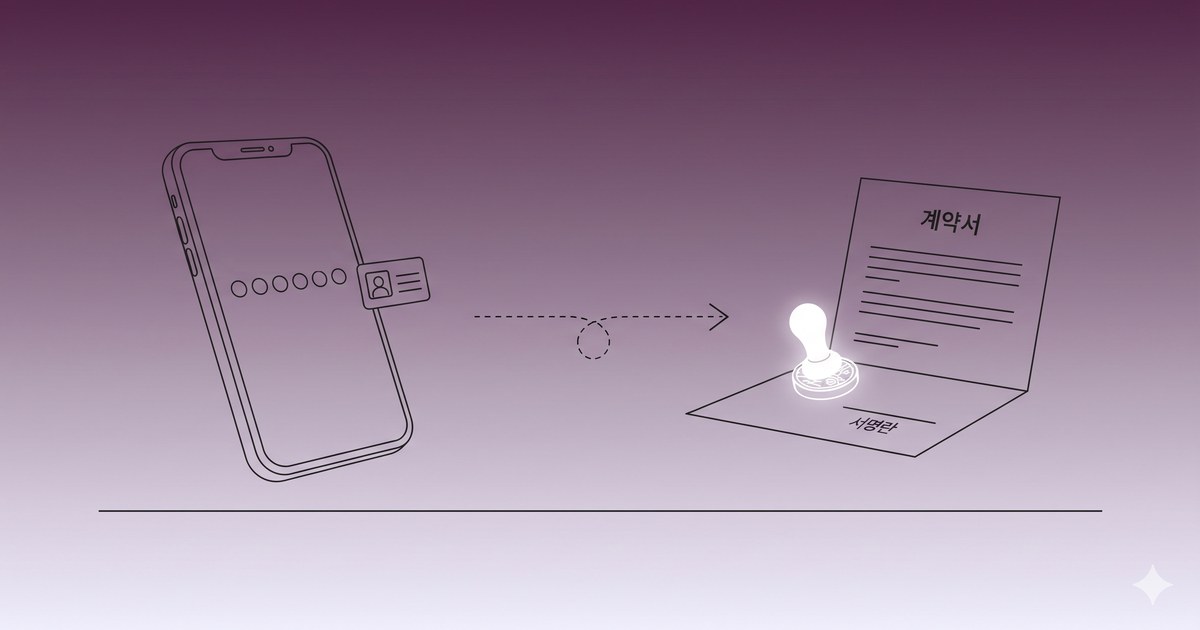
Identity verification vs electronic signature comes down to one sentence. The 6-digit code you receive by text is identity verification: it confirms that "the owner of this phone number is the person in front of us right now." An electronic signature made with a PASS, Naver, Kakao, or Toss certificate (PASS is the identity and certificate app run by Korea's three mobile carriers) is a signature that ties "this person agreed to the contents of this document" to the document itself. The first confirms a person. The second binds the person and the document together.
The difference matters in e-contracts because it shows up when a dispute arises. Korean law doesn't require a special form for most contracts. So a contract can be formed even if all the customer did was pass SMS verification and click an "Agree" button. Whether that holds up later, when someone says "I didn't do that" or "I didn't know that's what it said," is a different question. And some contracts, such as personal guarantees, have no legal effect even with an electronic signature.
Here's the order this post follows. First, how the law separates identity verification from electronic signatures. Then a table of situation-by-situation standards for e-contracts. After that, what level of electronic signature you actually need, and finally how to guide elderly customers or anyone unfamiliar with digital devices. Statutory text follows the current versions on Korea's National Law Information Center as of October 2026. This is a summary to help with practical decisions, not legal advice.
Identity Verification vs Electronic Signature: How the Law Separates Them
Identity verification — the territory of the Network Act
Phone-based identity verification with a text code has its roots in the Act on Promotion of Information and Communications Network Utilization and Information Protection (정보통신망법, "the Network Act"). Article 23-2 of that Act generally prohibits internet services from collecting users' resident registration numbers, and requires them to offer an "alternative means" of signing up without one. Article 23-3 has the government designate organizations capable of providing that alternative means safely as "identity verification agencies." Phone-based verification by Korea's three mobile carriers is the prime example.
In other words, the legal role of the text code is "a way to confirm that this person is the actual named subscriber, without a resident registration number." That's why it's used for sign-ups, adult verification, and password recovery. What gets confirmed here is that the name, date of birth, and phone number match the carrier's records. Which document the person agreed to, and what they agreed to, isn't something this procedure cares about.
The statutes also use the two concepts separately. Article 6(3) of the Enforcement Decree of the Electronic Financial Transactions Act lists, as a method of identity verification, "identity verification through a mobile phone and other methods provided by an identity verification agency under Article 23-3 of the Network Act." Article 6(1) of the same Decree lists, as something that can stand in for written consent, "an electronic document bearing an electronic signature under Article 2, subparagraph 2 of the Digital Signature Act (전자서명법) (limited to those capable of confirming the signer's real name)." So within a single article, identity verification and electronic signature play different roles.
Electronic signature — the territory of the Digital Signature Act
Article 2, subparagraph 2 of the Digital Signature Act defines an electronic signature as electronic information attached to, or logically combined with, an electronic document for the purpose of indicating "the identity of the signer" and "the fact that the signer signed that electronic document." The definition already contains the words "that electronic document." An electronic signature is premised, from the start, on being tied to a specific document.
Its effect is set out in Article 3.
- Paragraph 1: An electronic signature cannot be denied the effect of a signature, signature-and-seal, or name-and-seal solely because it is in electronic form.
- Paragraph 2: Where a statute or an agreement between the parties calls for a signature, signature-and-seal, or name-and-seal and an electronic signature is chosen as that method, the electronic signature has the effect of a signature, signature-and-seal, or name-and-seal.
A full revision that took effect on December 10, 2020 ended the system that gave special treatment to the "accredited certificate" (공인인증서) alone. There is no longer a tier called "accredited electronic signature," and the old accredited certificate lives on under the name "joint certificate" (공동인증서). In its place, the Korea Internet & Security Agency (KISA) now "recognizes" electronic signature certification providers that meet its operating standards (Articles 8 and 9). PASS (the three mobile carriers), Naver, Kakao, Toss, the Korea Financial Telecommunications and Clearings Institute, and the banks' certificates are among the providers with this recognition, and the current list and validity periods are available under "certificate issuance status" on KISA's website.
Recognition is not mandatory. Recognized providers, however, take on a duty to verify subscribers' identities (Article 14), a duty to publish their certification practice statement (Article 15), and a duty to compensate for damages and carry insurance for that purpose (Article 20).
The same PASS app does two different jobs
One point causes confusion. The PASS app performs phone identity verification, and it also produces electronic signatures with a PASS certificate. Even with the same app and the same fingerprint scan, the legal character differs depending on what you are doing at that moment.
| Identity verification | Electronic signature | |
|---|---|---|
| What it confirms | Is this the owner of this number/name? | Did this person sign this document? |
| Link to the document | None. The code has nothing to do with the document's contents | Yes. Bound to the document's contents at the time of signing |
| If the document is edited later | You can't tell | Signature verification breaks and the change shows |
| Legal basis | Network Act Articles 23-2 and 23-3 | Digital Signature Act Articles 2 and 3 |
| Common examples | 6-digit SMS code, PASS identity verification, i-PIN | PASS, Naver, Kakao, and Toss certificates; joint certificates |
Technically the difference is even clearer. A verification code works by having the server generate a number, send it out, and get it back. All that remains is who typed the number in, not which document they were looking at when they did. A certificate-based electronic signature signs a summary value (a hash) of the document's contents at the time of signing, using the signer's key. So if even one character of the contract changes later, verification catches it.
How E-Contract Consent Works — What to Do in Which Situation
Most contracts have no required form
Korea's Civil Act treats a contract as formed by agreement alone as a general rule. This isn't the wording of one particular article so much as a principle running through the whole Civil Act. So a contract that the law doesn't specifically regulate can be made orally, by text message, or by clicking a button. Article 4(1) of the Framework Act on Electronic Documents and Transactions (전자문서법, "the Electronic Documents Act") also provides that "an electronic document shall not be denied legal effect solely because it is in electronic form."
So the question becomes less "is it valid?" and more "if a dispute arises, can you prove this person agreed to this content?" And for contracts where the law requires a written document or a specific form, you have to follow that form.
Standards by situation
| Situation | What works | Basis |
|---|---|---|
| Sign-up, adult verification, password recovery | Identity verification such as an SMS code is enough | Network Act Articles 23-2 and 23-3 |
| Online shop order | Click consent + a procedure to review and correct the order | E-Commerce Act Article 7, Article 8(2) |
| General service, work-for-hire, or rental contract | No required form by law. Electronic signature recommended as dispute protection | Digital Signature Act Article 3, Electronic Documents Act Article 4 |
| Employment contract | May be delivered as an electronic document. Electronic signature recommended | Labor Standards Act Article 17(2) |
| Direct debit (auto-pay) consent | Written form (including electronic documents notified by the Financial Services Commission), recorded call, or other prescribed method | Enforcement Decree of the Electronic Financial Transactions Act Article 10 |
| Guarantee given by an individual | Paper document + handwritten signature or name-and-seal. Void even with an electronic signature | Civil Act Article 428-2 |
| Guarantee given in the course of business, such as by a surety insurer | Electronic document is allowed | Electronic Documents Act Article 4(2) |
| High-value, high-risk transactions such as non-face-to-face loans | Multiple independent authentication methods + electronic signature | Supreme Court 2024Da236754 |
Let's go through a few of these.
Online shop orders. Article 7 of the Act on the Consumer Protection in Electronic Commerce (전자상거래법, "the E-Commerce Act") requires a procedure that lets consumers review and correct their order before making an offer, and Article 8(2) requires that, for electronic payment, the goods' details, price, and so on be disclosed and a procedure for the consumer to confirm them be in place. What the law requires here is a "confirmation procedure," not an electronic signature.
Employment contracts. Article 17(2) of the Labor Standards Act requires delivering to the worker a "written document (including an electronic document under Article 2, subparagraph 1 of the Electronic Documents Act)" stating the components, calculation method, and payment method of wages, scheduled working hours, holidays, and annual paid leave. That means delivery as an electronic document is allowed. The article doesn't specify a signing method, but if you want a record that the worker received the content and agreed to it, getting an electronic signature is the safer choice.
Personal guarantees. This is the one people miss most. Article 428-2(1) of the Civil Act provides: "A guarantee takes effect only if the intention to guarantee is expressed in a document bearing the guarantor's name-and-seal or signature. However, if the intention to guarantee is expressed in electronic form, it has no effect." A guarantee that an individual gives personally is ineffective if collected by electronic signature, whether that's a PASS certificate or a joint certificate. You have to get a direct signature or name-and-seal on paper. The exception is Article 4(2) of the Electronic Documents Act, under which an electronic document expressing an intention to guarantee that the guarantor created in the course of its own business is treated as a written document. Guarantees made by a guarantee institution in the course of business, such as landlord rental-deposit guarantee insurance, fall under this.
When an electronic document counts as a written document. If a statute requires a "written document" and you want to substitute an electronic one, you must meet the conditions in Article 4-2 of the Electronic Documents Act. The content must be viewable, and it must be preserved in the form it had when created, sent, received, or stored, or in a form that can reproduce it unchanged. It's excluded where another statute has a special provision or where the nature of the matter doesn't permit electronic form. The personal guarantee above is the prime example of a "special provision in another statute."
What case law looks at — Supreme Court 2024Da236754
There's a recent Supreme Court decision in which "I didn't do it" was contested in a non-face-to-face contract: case 2024Da236754, decided on August 14, 2025.
The facts were as follows. The plaintiff, at the request of someone impersonating the plaintiff's daughter, sent a photo of the plaintiff's driver's license plus their account number and password, and installed a remote-control app on the phone via a link they were sent. That same day, the impersonator got a joint certificate issued in the plaintiff's name, opened a bank account non-face-to-face, and took out a 90 million won loan. The bank obtained an electronic signature in the plaintiff's name after going through the following steps.
- Checked the driver's license with the Ministry of the Interior and Safety's ID authenticity verification system
- Sent 1 won to an existing account and confirmed via the verification number written in the depositor name
- Phone identity verification in the plaintiff's name
- Joint certificate authentication in the plaintiff's name
- Credit information lookup and a check of national health insurance eligibility status
The Supreme Court held that whether there is a "legitimate reason to trust" under Article 7(2), item 2 of the Electronic Documents Act depends on whether the recipient "properly carried out the identity verification procedure." In making that judgment, it said, the court looks comprehensively at whether the procedure fit the technology of the time, whether the recipient made efforts suited to the nature of the transaction in the manner prescribed by the relevant statutes, and what kind of legal act the declaration of intent was. And holding that the court must judge "not each authentication method in isolation, but multiple, mutually independent authentication methods considered together," it found the loan contract valid. The plaintiff, who was the victim, ended up bearing responsibility for the loan.
There are two practical takeaways from this decision. One is that the party receiving the contract is better off the more layers of verification it puts in place, in proportion to the weight of the transaction. Phone identity verification was only one of five methods. The other is that if the signing party hands over a verification code or certificate to someone else, they may end up bearing the consequences themselves. That's why this has to be part of the guidance for elderly customers covered later.
What Level of Electronic Signature Do You Need?
The definition in Article 2 of the Digital Signature Act is broad. A checkbox click or a signature image drawn with a finger can also be an electronic signature under Article 3(2) if the parties agreed to use it as their method of signing. The law doesn't divide effect by "grade" of electronic signature. The difference lies in evidentiary strength, that is, how easily you can show "this person signed this document" in a dispute.
The tiers below are not grades set by any statute. They are the author's practical judgment, based on the statutory structure and case law above.
| Tier | Method | Link to the person | Link to the document | Suited for |
|---|---|---|---|---|
| 1 | Checkbox / "Agree" button | About as strong as a login account | Weak | Terms-of-service consent, small orders |
| 2 | SMS verification + Agree button | Confirms phone subscriber | Weak | General application forms, small-value services |
| 3 | Drawn signature + link delivery + audit trail | The person who received the link | Medium. The signing platform keeps the document hash and history | General contracts, rental contracts, employment contracts |
| 4 | Recognized provider certificate (PASS, Naver, Kakao, Toss, joint certificate) | Real-name verification | Strong. Bound to the document as it was when signed | High-value contracts, finance, leases |
| 5 | Tier 4 + multiple methods such as ID authenticity check and account verification | Very strong | Strong | Non-face-to-face loans, high-risk transactions |
How to choose
- If a statute requires an "electronic signature capable of confirming the real name," you need Tier 4 or above. Article 6 of the Enforcement Decree of the Electronic Financial Transactions Act, seen earlier, is one such example.
- When the amount is large, the act is hard to undo, or the other party might deny it later, Tier 3 or above can work. If a dispute arises, though, Tier 4 or above is safer. What case 2024Da236754 looked at, in the end, was whether the procedure was proportionate to the weight of the transaction.
- For general contracts where the law requires no particular form, Tier 3 is often enough. In that case, including a clause in your terms or contract saying "an electronic signature by this method counts as a signature" is how you lock in the effect under Article 3(2).
- If you accept contracts at Tier 1 or 2, you should at minimum keep the exact wording the customer saw when they consented. I covered how to do that in the post on consent record retention, in the section on snapshot design.
- Personal guarantees need a paper document regardless of tier.
What to keep, whatever the tier
Regardless of the signing method, the records you'd pull out in a dispute are the same. I covered the concrete design for keeping the exact wording the customer saw, along with its hash and change history, in the post on electronic consent record retention.
- The original contract (PDF) as it was at signing, and its hash value
- Date and time of signing, and the signing method (which certificate, which authentication method)
- The route by which the contract was sent, and the viewing log
- Records of the identity verification procedure
Article 6 of the Enforcement Decree of the E-Commerce Act requires keeping contract and withdrawal records and payment records for five years. Check the retention period under your industry's statutes, and write the same period in your privacy policy. If you're preparing for information security certification, my post on ISMS vs ISMS-P goes on to show which criteria these records are assessed under.
How to Guide Elderly and Digitally Vulnerable Customers Through an Electronic Signature
For the party receiving it, an electronic signature is a way to preserve evidence. For the person signing, it can easily become a button pressed without knowing what they're doing. It gets even harder when identity verification and electronic signing happen in the same app with similar-looking screens. Here are some approaches you can use when writing instructions and designing screens.
Start with a one-sentence analogy
Skip the technical terms and relate it to something they already do.
- The 6-digit text code: "It's like showing your ID at the bank counter. It's a check that says, 'Yes, it's me.'"
- PASS, Kakao, or Naver electronic signature: "It's like stamping your seal on a contract. It's a mark that you agree to this content."
- Then have them remember it in one line: "The code is your ID; the electronic signature is your seal."
Tell them in advance what's coming
When the screen changes or a notification arrives, many people stop right there. Telling them the sequence ahead of time makes them less flustered.
- Be specific about which app and under what name: "In a moment, you'll get a message called 'Kakao Certificate' on KakaoTalk."
- "Tap the yellow button in the message and the contract will appear."
- "After you've read it, enter the 6-digit password you chose at the start, or use your fingerprint, and the signing is done."
- "When it's finished, the screen will say 'Signing complete,' and a copy of the contract will arrive by text message."
It works best to hand them a one-page paper guide in advance with these four lines and pictures of the actual screens. Showing where they are at each step, like "1/4, 2/4," also helps.
Build the signing screen like this
- Large text and just one button. Instead of "Next" or "OK," put what the button does in its name, like "Sign the contract."
- Show three key lines separately right before signing: what is being contracted, how much, and until when.
- Allow generous time for authentication to remain valid, and when it expires, let them redo just that step rather than start over.
- Use different titles on the code-entry screen and the signing screen. Clearly distinguishing "Verifying your identity" from "Signing the contract" makes it easier to understand what they're doing right now.
One warning line you must include
The plaintiff in 2024Da236754 handed over a photo of their ID and their account information to someone impersonating a family member, installed a remote-control app, and ended up bearing responsibility for the loan. Be sure to put the following sentences in your guidance.
- "Don't share your verification code or certificate password with anyone, including family. We never ask for verification codes by phone."
- "If someone tells you by phone or text to install an app from a link, hang up and call us back at our main number to confirm."
Another route for people who find electronic signing difficult
Not everyone can use electronic signing. Keep a route open for people who don't have a smartphone or can't get a certificate issued.
- In-person or paper signing: Keep the option of visiting in person, or receiving the contract by mail and signing it. For a personal guarantee, this is the only method that works in the first place.
- When a family member acts on their behalf: If a family member signs using their own phone on the person's behalf, it plants the seed of a later "I didn't do that" dispute. If someone must act for them, get a power of attorney and record the signer under the agent's own name.
- Going through it together by phone: The agent explains each step over the phone, but the customer enters the verification code personally.
Closing — Identity Verification vs Electronic Signature: A Checklist Before You Sign the Contract
To restate identity verification vs electronic signature: identity verification confirms a person, while an electronic signature binds the person and the document together. Because most contracts have no required form, SMS verification plus an Agree button can be enough to form one, but an electronic signature holds up far better in a dispute. And some contracts, like personal guarantees, can't be done even with an electronic signature. When you build or choose an e-contract flow, check the following.
- Does the law prescribe a form for this contract? For a personal guarantee, follow the paper-document requirement; for direct debit, follow the prescribed consent method.
- Have you chosen a tier that matches the amount and how hard the act is to undo? Even high-value contracts can work at Tier 3 or above, but if you want to be ready for a dispute, a recognized provider certificate plus multiple verification methods (Tier 4 or above) is safer.
- Do your terms or contract include a clause saying "an electronic signature by this method counts as a signature"?
- Do you keep the original contract, hash, date and time, signing method, and identity verification records as they were at signing, and have you written their retention period in your privacy policy?
- Have you told elderly customers that "the code is your ID, the electronic signature is your seal," and given them both the warning not to share the code with anyone and the alternative of signing on paper?
The sources I consulted are the current statutory text on the National Law Information Center, starting with Article 428-2 of the Civil Act, and the Supreme Court's 2024Da236754 judgment. The effect of any individual contract depends on its facts, so for contracts with a realistic chance of dispute, it's wise to get an expert's review.