Not Reproducible Bugs — A Four-Step Way to Handle Them Without Closing
QA saw the bug clearly, but it won’t show on the developer’s machine. The ticket gets stamped ‘Not Reproducible’ and quietly disappears — until the same defect comes back from a user. A four-step handling guide that swaps ‘close it’ for ‘park it and watch.
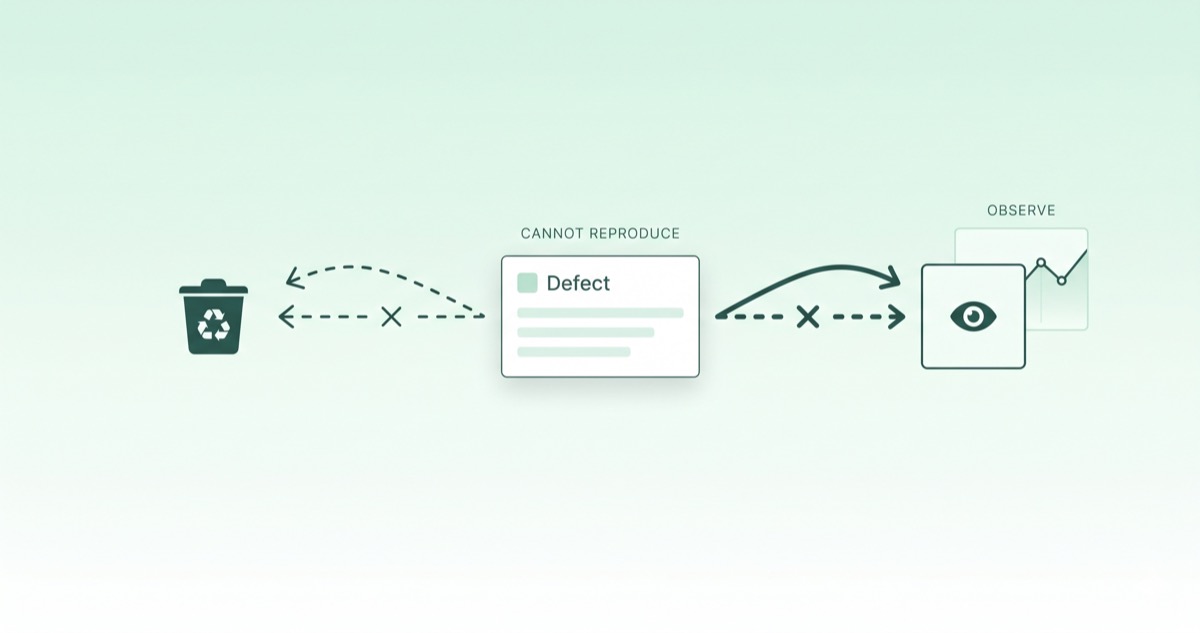
One Person Saw It, No One Else Can
Not reproducible bugs are the most expensive class of defect on a small team — the ticket is real, the screenshot is real, and yet nothing happens when the developer follows the exact steps. Two tries, three tries, and an hour later someone says it: "I can't reproduce it." The ticket closes with a "Not Reproducible (NRT)" stamp. Two weeks later a user submits a support request that looks suspiciously like the original report.
The framing matters here. Most not reproducible bugs are not gone — they're bugs whose conditions haven't been found yet. The moment the ticket closes, those conditions get buried with it, and the clock just keeps running until the next sighting. This post walks through where these bugs usually come from, then through a four-step handling pattern that swaps "close it" for "park it and watch."
Where Not Reproducible Bugs Usually Come From
About 80% of cases fall into four buckets. This table is the starting point when you're forming a hypothesis.
| Source | What it usually looks like |
|---|---|
| Environment and data differences | Only one user, one browser, or one moment in time |
| Timing and async | "If you click fast" or "if you click both at once" is in the report |
| External dependencies and caches | Same input, different output between yesterday and today |
| Tiny scenario variations | Input value, navigation path, or login state differs from the report |
Environment and Data Differences
The most common one. The reporter is looking at the screen on top of production data, production cache, and production permissions. The developer is looking at local dummy data. In between sit A/B experiments, beta flags, and user-tier branching. Same code, different inputs — different output is normal.
Timing and Async
A render works fine if data arrives in time and breaks when it arrives late. A fast machine or a clean network will never see it; someone on a slow connection sees it once a week. If the report says "I double-clicked quickly," it's almost always this category.
External Dependencies and Caches
Third-party APIs, CDNs, on-device cache, replica lag on a production database — anything that depends on an external call can return different output for the same input. A bug that worked yesterday and broke today usually lives here. This is the same dependency-shape problem covered in the fallback design post, only viewed from the other side.
Tiny Scenario Variations
The report says "checkout from cart broke." What actually happened was 30 minutes after login, with two coupons applied in sequence. A single input or one extra navigation step can completely change the outcome.
A Four-Step Way to Park It Instead of Closing It
This is the operational playbook. Don't close after one failed reproduction — run these four steps first, then decide.
Step 1 — Ask the Reporter for Five More Things
The fastest step. Ask the reporter for five more pieces of context: exact time (to the second), user ID, device and browser, last button pressed, and the data state on the previous screen. Just those five fill out half the hypothesis. Teams that bake these fields into the bug report template skip this step almost entirely.
Step 2 — Reconstruct Backwards From Logs
Once you have a timestamp, dig backwards through server logs, error trackers, and session replays. The reporter only saw the screen, but the system recorded the correlation ID, response code, response time, and cache hit status. If the bug happened even once, the trace is somewhere in the log line.
Step 3 — Match the Environment Variable by Variable
Try again under the same user account, same device, ideally the same traffic conditions. If it still won't show, narrow one variable at a time toward production — A/B experiment cohort, beta flags, user tier, cache invalidation. Each variable you align tightens the hypothesis.
Step 4 — If It Still Won't Show, Park It in "Wait & Observe"
If you've done all three and still can't reproduce, don't close it — move it to a "Wait & Observe" state. Attach three things at the same time: a monitoring alert, an impact estimate (X% of users potentially affected), and an auto-expiry date (say 30 days). If the bug fires again, the alert pings the ticket back to life. If it doesn't, the ticket cleans itself up at the deadline.
Three Things to Capture Before You Close
If you do decide to close as "Not Reproducible," at minimum record these three lines on the ticket:
- Reproduction rate. "0 out of 10 attempts" or "2 out of 10 attempts" — this makes it easy to merge with similar reports later.
- Impact estimate. What percentage of users are in the potential blast radius, and which business flow breaks?
- Wake-on-next-occurrence. Wire a monitoring rule so the ticket automatically reopens if the same pattern shows up again.
These three lines mean that even when you close on NRT, the second sighting doesn't cost you a fresh investigation.
Make It a Team Rule
To avoid making the same call from scratch on every ticket, codify the workflow.
- Split the status into two:
Not Reproducible (closed)versusWait & Observe (parked)— the second one carries an auto-expiry. - Split the responsibility: QA owns the reproduction attempt, developers own the hypothesis and code check, PMs own the business-impact call. Without that split, NRT slowly turns into a way to push tickets between desks.
- Agree on the words. As the smoke testing post covered for the word "test," the phrase "Not Reproducible" lands very differently if QA and engineering haven't agreed on what it means. Writing the close-vs-park criteria down once removes the recurring debate.
One-line Summary
The trap with not reproducible bugs is that closing the ticket also closes the information. The point of a handling process isn't to form the hypothesis faster — it's to set up a structure that gathers context, parks the ticket, and wakes it up on the next sighting. You don't have to catch a bug on the first attempt; you just need the first ticket to still be open when the second report comes in.
Move not reproducible bugs from "don't know, close it" to "haven't found the conditions, park it nearby," and the same defect stops costing you two debugging sessions.