The Real AI Meeting Notes Workflow — Beyond the 5-Minute Trap
The real AI meeting notes workflow isn’t about throwing audio at AI after the meeting. It’s about a single shared session of notes that everyone watches and edits while the meeting happens. Here’s the flow.
Why the 5-Minute Meeting Notes Promise Falls Apart
The promise is appealing. Drop an audio file into a service, and five minutes later a summary, decisions, and action items arrive neatly in your inbox. The time saving is obvious, and most teams try this at least once.
Then you compare the output with what actually happened in the room. Names get swapped. Things that were never decided show up as decisions. The single sentence that mattered most is missing.
One round of testing a Korean meeting transcription service called Clovanote on a two-hour internal meeting produced exactly that kind of gap. Speaker separation broke down, and the summary inserted conclusions that nobody had reached. The same tool, on a short one-on-one phone call, had been quite accurate. Once the room got bigger and the meeting got longer, the output started to drift.
In Korea, tools like Clovanote, Daglo, A.note, and Tiro have taken root. Globally, Otter, Fireflies, Granola, and Fathom share the market. Accuracy and features keep improving across the board, but most of them share the same assumption: throw the recording in after the meeting and let the AI handle the rest.
The trap in an AI meeting notes workflow looks less like a model limit and more like a problem with the after-the-meeting handoff itself.
Three Places Post-Meeting Automation Breaks
The "drop a recording in after the meeting" flow tends to break in three places.
The first is speaker identification. When voices blur, ownership of statements blurs too. Once the source of a decision is fuzzy, accountability for it is fuzzy.
The second is the line between decision and discussion. AI tends to write everything that came up as if it were decided. "Let's look into it" turns into "we will adopt it" — and that one-line shift moves next week's schedule.
The third is the missing validation step. A summary built after the meeting is, until each participant signs off, one entity's interpretation (the AI's). When "wait, did I really say that?" comes back days later, the notes stop being an alignment artifact and become a source of conflict.
Short 1-on-1 Calls Aren't the Trap
The trap doesn't apply to every meeting equally. A short, two-person phone call is something automated tools handle well. With only two speakers, a clean tone, and limited duration, the model's weak points rarely show.
A useful first step is matching the tool to the meeting. Some meetings are fine for "5-minute auto notes." Others aren't. That distinction comes before the tool choice itself.
The Heavy Workflow — When the Meeting Is That Important
At the other extreme sit meetings where every line matters. Decisions with downstream cost, sessions where a missing sentence could become expensive later. The workflow gets heavy on purpose.
Record the meeting, run the audio through OpenAI Whisper for transcription, hand the transcript to a model like Claude for a structured summary, then read the result line by line and mark the parts that matter. Each step has a human in it. The cost is time. The return is that every claim in the notes is traceable back to source audio.
This workflow doesn't scale to every meeting. It's reserved for sessions where the answer really has to hold up.
The Real Workflow — Live Notes Inside the Meeting
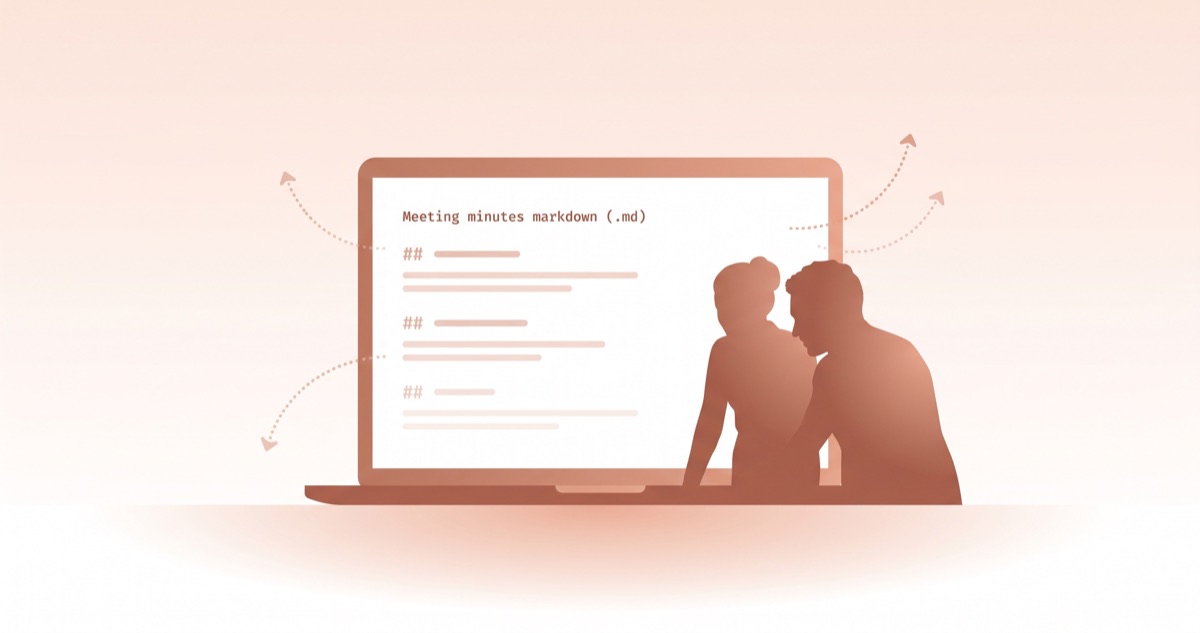
The most common pattern, in practice, is to build the notes while the meeting is happening, not after. This isn't a new idea. Long before AI was in the picture, a familiar habit was opening a text editor during the meeting and sharing the typed notes with everyone on the call. When the meeting ended, those notes were the notes.
AI makes the same habit lighter. The shift is small — there's just a tool in the same session helping with summary and structure. The substance is unchanged: one session, one shared view, agreement built in the room. An AI meeting notes workflow that actually works tends to look like this.
The steps are simple.
- Before the meeting starts, open one notes file. It can be a
.mdfile in VS Code, a desktop text editor, Notion, Obsidian, Google Docs, or anything else. What matters is that there's one place where the notes will live for the whole meeting. - For each agenda item, drop in a
##style header. Agenda granularity is a judgment call — large enough to follow the flow, small enough to be a unit. - During the meeting, jot down decisions, disagreements, and owners in rough form under each agenda heading.
- Once an agenda item has been talked through, in front of everyone in the meeting, ask an AI to clean up that section. The tool can be an AI assistant inside the editor, or a web AI window — ChatGPT, Claude, Gemini — open on a second monitor. The pattern is the same: paste the rough notes, get a structured version back.
- Put the result on the shared screen and read it together. If someone disagrees, they say it right there. Fix it on the spot.
- Move to the next agenda item and repeat. Keeping the whole meeting inside the same AI session helps — the prior context carries naturally into the next pass.
- When the meeting ends, hand the full notes file to the AI and ask for an email-tone version. Send it to everyone who was in the room.
Audio recording almost never enters this flow. Because everyone watched the notes form during the meeting, after-the-fact disagreement is rare. If there had been disagreement, it would have surfaced live.
One side observation: Granola, in the global market, is positioning itself around a similar idea. The user types notes during the meeting and AI structures them alongside in the same view. Seeing the same pattern earn its own product category is a quiet signal. The flow is what does the work — the tool just slots into it.
Three Effects of Building Notes During the Meeting
An AI meeting notes workflow built this way produces three effects at once.
First, writing time matches meeting time. The moment the meeting ends, the notes are done. Post-meeting work is near zero.
Second, agreement happens inside the meeting. AI summaries get validated by every participant in real time. "Wait, did I say that?" doesn't show up two days later, because disagreement got handled live. The notes leave the room as an agreed artifact.
Third, AI errors stay local. If an agenda summary comes back slightly wrong, it gets fixed on the spot before the next agenda item starts. Post-meeting automation, when it goes wrong, takes the whole document with it. Live notes only need the wrong paragraph touched.
The Trap Is in the Design, Not the AI
The way out of the 5-minute meeting notes trap isn't to stop using AI. AI is at its strongest when it sits inside the meeting as the structuring tool — not when it gets handed the whole meeting at the end.
The trap is in workflow design, not in the model. Handing the entire burden to AI after the meeting is itself the trap, and pulling that burden back into the meeting is what makes the same tool produce a different result.
A real AI meeting notes workflow ends up being a question about how to run the meeting in the first place. Once that question is answered, the AI finds its right slot as a tool.