Where Did Web Publisher Jobs Go? AI Removed the Time It Took to Learn the Standards
Three years ago, finding a web publisher was a project in itself. Last year and this year, my team never looked for one. What AI removed wasn't the publisher. It was the time it took to learn and apply our standards. The roles that sold that time are scattering first, and what remains is setting standards and making judgment calls.
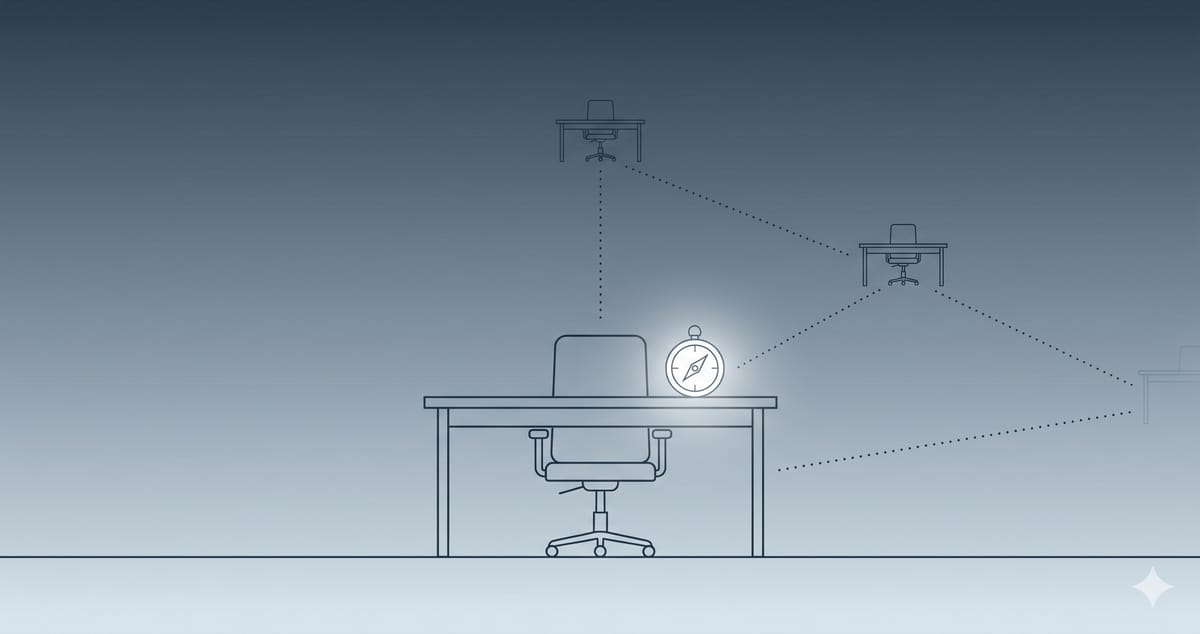
Web publisher jobs have quietly disappeared. In Korea, a "web publisher" is the person who turns design mockups into HTML and CSS, a role somewhere between designer and front-end developer. Until about three years ago, finding one gave my team regular headaches. Last year and this year, we didn't look for one even once. Here's how I read it: what AI removed wasn't the publisher as a person. It was the time it took to learn and apply our standards.
The roles that sold that time are scattering first. Publishers went first, and designers, front-end developers, and PMs are feeling the same pressure. What remains at the end is setting and revising standards, and deciding what to build.
This post walks through how I got to that conclusion: why hiring publishers used to be so hard, what exactly AI removed, how that change is spreading to nearby roles, and how to prepare for what's left.
Web Publisher Jobs: The Posts Are Gone
I mostly work on admin consoles and ERP systems rather than customer-facing services. These systems have lots of screens, but they don't need to be flashy. Still, screens need markup, someone has to write it, and finding that someone was a constant chore.
But last year and this year, not once did anyone on the team go looking for a publisher. Nobody decided to eliminate the role. The need just went away. We did occasionally think about bringing in a designer, when we wanted to push screen quality higher. But we never looked for a publisher.
One caveat up front. This is the story of a team with few customer-facing services and a lot of admin and ERP work. Services where brand experience matters, or screens with demanding accessibility requirements, may be different. Still, if you follow why this happened, the reason applies to other teams and other roles too.
Why Hiring a Web Publisher Used to Be Hard
Uneven workload, high rates
Publishing work bunches up at the start of a project or during a redesign. It isn't evenly spread across the year. But bringing someone in only when needed wasn't cheap either. A full-time hire would sit idle for long stretches, and freelance rates were high.
The wall between remote work and the internal network
Many publishers wanted to work remotely. That's a reasonable ask. The problem is that admin and ERP systems usually live inside the internal network. They're hard to reach from outside, and getting in takes separate procedures. If we required on-site work, fewer people applied. If we allowed remote work, they couldn't test against the real development environment.
The biggest cost was the time to learn and match standards
Bigger than rates or network access was time. We had a style guide. But even with the document in place, it took time for a new publisher to read it and get comfortable with our shared code and conventions. The schedule shrank in the meantime.
Even after that, problems remained. Publishers were fast at turning design mockups into HTML. But the result often didn't fit the dev code, and the back-and-forth of cutting it apart and stitching it back together led to a lot of friction. The publisher had built exactly what the mockup showed, and the developer had received code they couldn't use as is. Neither was wrong. It just took time to learn and match each other's standards. I wrote about this gap once before in a post on what developers and publishers really mean when they talk about Tailwind CSS.
So unless it was a major customer-facing service, developers often just built the screens themselves. Hiring a publisher, getting them up to speed on our standards, and reconciling their code cost more than having developers build something a little less polished. Of course, the developers suffered for it.
AI Didn't Remove the Publisher. It Removed the Time to Learn the Standards
What changed was AI coding. When a developer hands an AI coding tool the existing code and the style guide and asks it to build a screen, the AI reads the standard on the spot and applies it right away. There's no adjustment period. The markup fits our code from the start, so the old "matches the mockup but doesn't match the code" problem has nowhere to happen.
Look at where the time used to go, one item at a time, and the difference is clear.
| Where time used to go | When a person (publisher) did it | With AI coding |
|---|---|---|
| Reading and learning the style guide | Every new person needed an adjustment period | Reads the document as soon as it's handed over |
| Matching shared code and conventions | Repeated until it became second nature | Applied starting with the next screen |
| Reconciling mockups with dev code | Back-and-forth fixes and friction | Generated against the existing code from the start |
| When the standard changed | Announce it again, learn it again | Change one line and it applies from then on |
| Deciding what to build and by what standard | People | Still people |
I think this table is the real reason web publisher jobs disappeared. A big part of the value a publisher brought to a team was the labor of learning the standard and applying it to screens. Once the time for that labor dropped to almost nothing, there was no reason to hire someone separately for it. Only the bottom row, deciding what to build and by what standard, stayed with people.
The Roles That Sold That Time Are Scattering First
This change doesn't stop at my team. The bigger the share of a role that went to learning and applying standards, the sooner it gets shaken.
Why publishers went first
Publishing was the role where translating a fixed mockup by a fixed standard made up the biggest share of the work. So it was hit first. In the job market, the title "web publisher" shows up less than it used to, and the work seems to be getting split up or folded into titles like UI developer, markup developer, or design system maintainer. That said, I couldn't find public data that directly counts web publisher job postings in Korea.
Publishing was also an entry point into the web industry. When that rung shrinks, the door narrows for people without experience. According to an analysis the Bank of Korea released in August 2026, jobs held by people aged 15 to 29 fell by 285,000 between June 2022 and June 2026, and 94% of that drop came from industries highly exposed to AI. Youth employment in computer programming and systems integration fell 16.6%, while employment of people in their 50s in the same industries actually rose. The Bank of Korea cautioned that this can't be blamed on AI right away, since it's mixed with the unwinding of pandemic-era overhiring. Still, the direction is the same: the bottom rungs shrink first.
Designers and front-end developers face the same pressure
Hiring data from outside Korea shows nearby roles moving in a similar direction.
| Role | Recent trend | Source |
|---|---|---|
| Front-end | US software dev postings rebounded about 15% since February 2025, but 71% of the increase was senior roles | Indeed Hiring Lab, July 2026 |
| Front-end | Share of Hacker News hiring posts mentioning "front end" fell from 27% in early 2022 to 6.6% | daily.dev roundup, November 2026 |
| Designer | About 1,900 product design openings, down 28% year over year, a record low | Lenny's Newsletter, November 2026 |
| Designer | 56% of hiring managers saw rising demand for senior designers, 25% were hiring more juniors | Figma design hiring study, 2026 |
| PM | PM openings up 75% from the March 2023 low, the highest in about four years | Lenny's Newsletter, November 2026 |
What's shrinking for designers and front-end developers is the same kind of work: turning a fixed mockup into fixed code, drawing screens one at a time by fixed rules. The openings that remain want senior people and people who can work with AI tools. In other words, they're looking for people who know the standard, not people who follow it.
Why PM is the one role that's growing
PM openings, on the other hand, are growing. According to Lenny's Newsletter's November 2026 hiring report, the ratio of PM openings to design openings widened from 1.9 to 1 in early 2023 to 3.8 to 1. When building takes less time, deciding what to build becomes more valuable. But not all PMs are the same. PMs whose main job was carrying context between teams in documents face the same pressure as publishers. That, too, is translation work.
What Remains: Setting Standards and Making Judgment Calls
Follow it from publishers through designers, front-end developers, and PMs, and the work that leaves and the work that stays separate cleanly. What leaves is learning a standard and translating by it. What stays comes down to two things.
Setting and revising standards
AI follows standards. It doesn't make them. Which components to use, what the colors and spacing are, which output gets approved and which gets sent back: people have to decide.
This work carries much more weight than before. When people followed the standard, a revision to the style guide took a long time to reach everyone. Now that AI follows it, change one line and it shows up in the very next screen. A good standard spreads instantly, and so does a bad one.
AI-generated screens look plausible, which is exactly why they need care. When the standard has gaps, AI may ignore a shared component and create a similar-looking button from scratch, or use spacing that's subtly different from existing screens. In an admin console with lots of screens, small differences like these pile up until maintenance falls apart. Finding and filling those gaps is the human job.
Deciding what to build
AI builds whatever you ask. But it doesn't decide what to ask for. Whether this screen is really needed, whether to add this feature now, whether to handle this edge case: people still have to decide. That's especially true in ERP. Building one more screen has gotten easy, but how that screen changes business workflows and permission structures is still a human judgment call. My post on how business specs and requirements documents change in the AI era makes the same point.
So How Should We Prepare?
If what remains is setting standards and making judgment calls, preparation should aim at those two things. Here it is for teams and for individuals.
Teams: let AI read the standards you already have, and revise them every time you push back
The team's job isn't to write new documents. It's to put the standards you already have, like style guides, screen standards, and lists of shared components, somewhere AI can read them every time. A document that took people weeks to absorb applies to AI the moment you hand it over.
Next comes the habit of revising. Every time you send AI output back, add a line to the standard explaining why, and the same mistake won't come back. In the past, a revision took so long to reach people that it was easy to put off revising at all. Now it takes effect immediately. How fast you revise your standards becomes how fast your team improves.
Individuals: increase the share of your work that's about deciding
Here's what's shrinking and where to move, by role.
| Current role | Work that's shrinking | Work to move toward |
|---|---|---|
| Web publisher | Turning mockups into markup by the standard | Setting design system and accessibility standards, reviewing AI output |
| Front-end | Building pre-defined screens | Designing component structure, judging state and data flow |
| Designer | Drawing screens one at a time by the rules | Designing tokens and rules, using AI to produce several options and choosing among them |
| PM / planner | Carrying context in documents | Deciding what to build and not build, validating with working prototypes |
Whatever your role, there are five things you can start now.
- Split your work into translating and deciding. Write down what you did for a week and mark which tasks applied a standard someone else set and which were decisions you made. If the first group is bigger, that's the part AI takes over first.
- Build one thing end to end with an AI coding tool. You only learn where AI drifts from the standard, and what you need to give it in writing, by building something yourself.
- Collect the reasons you sent AI output back. What you rejected shows your standards better than what you approved. Those reasons become raw material for the team's standards.
- Record why you made each call. Leave a line or two on why you designed a screen a certain way. You can use the format from how to write a decision record. Judgment only becomes visible to others once there's a record of it.
- Keep areas you can explain without AI. If you stop the moment the tool stops, you can't be the one setting standards. I covered these warning signs in a post on AI coding tool dependency.
Wrapping Up
In one line, here's where web publisher jobs stand: the job posts are gone and the work has scattered. My team stopped looking for publishers not because our standards went away, but because AI made the time to learn and apply them almost disappear. The roles that sold that time are scattering first, and designers, front-end developers, and PMs are on the same road.
What remains is setting and revising standards, and deciding what to build. Whatever your job title, the most realistic way to prepare is to shrink the share of your work that's translating and grow the share that's deciding.