What Is MCP — The AI Tool Connection Standard Product Managers Should Know
AI is smart, so why is it blind to your company’s data? This is what is MCP in plain terms — the open standard that connects AI models to external tools and data. No code required: the concept, what changes versus before, and the calls a product manager has to make.
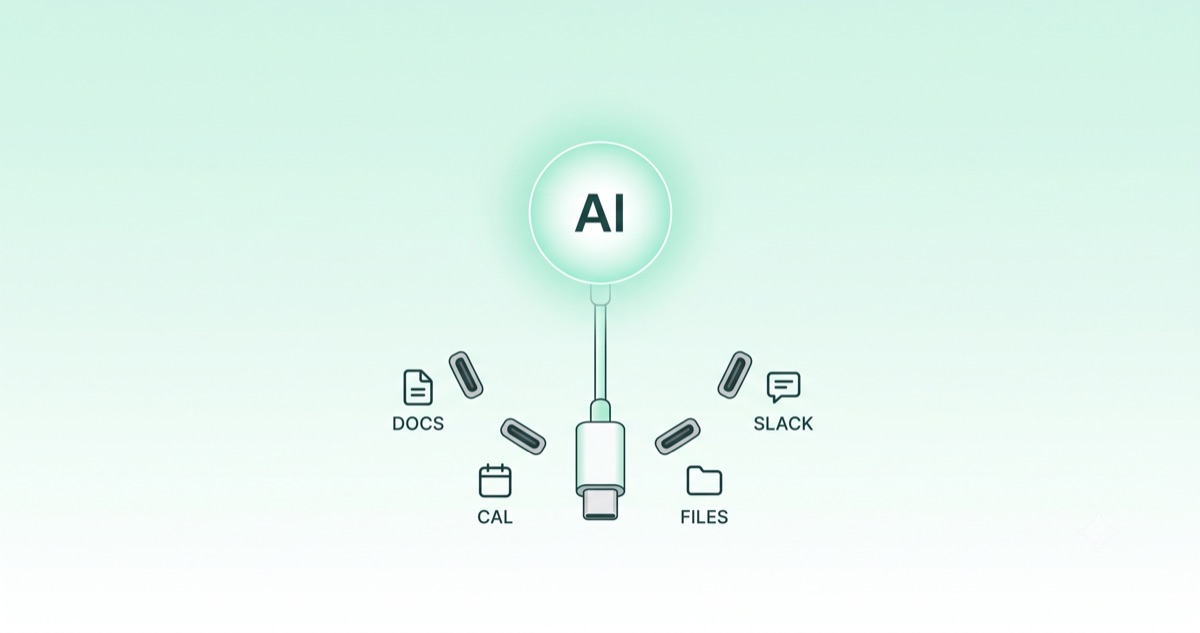
AI Is Smart, So Why Is It Blind to Your Data?
Ask a chatbot to "summarize this quarter's revenue" and you usually get some version of "I can't access your company's data." The model is brilliant, yet it knows nothing about your documents, your calendar, your customers. The standard closing that gap is what the industry now talks about most, and this post answers what is MCP in plain terms — the open protocol that connects an AI model to external tools and data.
Copy-pasting material into the chat window every time is a routine any product manager will recognize. Here we explain, at a level that requires zero lines of code, why and when a product manager should care. The goal is to gain the eye for deciding what to connect an AI to.
What Is MCP — A Standard Way to Hand AI a Tool
What is MCP, precisely? MCP stands for Model Context Protocol, an open standard Anthropic released in November 2024. In one sentence: it is a shared agreement for how AI models talk to external tools and data.
Anthropic calls it "USB-C for AI." Devices used to have a different charging port each, so you carried a drawer of cables — until USB-C unified them. MCP does the same for AI. Whether the model reads Google Drive, scans Slack messages, or queries an internal database, MCP standardizes the way it connects.
The one thing to remember here: MCP does not make AI smarter. It is how you plug a smart AI into your tools. It is a connection problem, not an intelligence problem.
Before and After MCP — What Actually Changes
Why MCP is a big deal gets sharp when you compare it with "before."
Before MCP, every AI service and every tool had to be wired together one-to-one. Five AIs and ten tools meant, in theory, fifty separate integrations to build. From a planning seat, every "does that integration exist?" met the same answer: "not hooked up yet."
| Aspect | Before MCP | After MCP |
|---|---|---|
| Connection | custom per tool (one-to-one) | one shared standard |
| Adding a tool | build from scratch each time | speak the standard, connect instantly |
| What planners feel | "that's not wired up yet" | "if it supports the standard, we're set" |
After MCP, a tool that speaks the MCP standard connects immediately to any AI that supports it. The tool maker wires it once; the AI side adds new tools cheaply. "N×M individual integrations" collapses into "N+M standard implementations."
How MCP Is Built — Just Three Roles
You do not need to dig into the internals as code. Knowing there are three players is enough to hold the conversation.
Host and Client — The AI Side
The host is the AI app a user actually touches — Claude Desktop, an AI-enabled IDE, an internal AI chatbot. Inside that host, the client manages each connection out to an external tool. A product manager can bundle these two together as "our side, the side using the AI."
Server — The Tool Side
An MCP server is the counter that exposes a specific tool or dataset for the AI to use. There is one per tool — a Google Drive server, a Slack server, a GitHub server. The server presents a menu of "here's what I can do," and the AI picks what it needs.
So the flow is simple: AI (host) → connection (client) → tool counter (server) → the real tool and data. In that picture, a product manager only has to decide which servers to plug in.
What You Actually Connect — MCP Server Examples
It sounds abstract, so here are the connections in practice. These MCP servers are already in wide use.
| MCP server | What the AI can now do |
|---|---|
| Google Drive / Notion | find, read, and summarize internal docs |
| Slack | organize and search a channel's conversation |
| GitHub | look up issues and code changes |
| Database | answer "how many new signups this month" |
| Calendar | check schedules and suggest meeting times |
Now return to "summarize this quarter's revenue." With a database MCP server attached, the AI no longer says "I can't access that." It pulls the numbers itself and hands you the summary. That is the moment an AI that only recited built-in knowledge becomes an assistant that uses your real tools.
Why It Matters Now — It Became an Industry Standard
If it had stayed one company's experiment, there'd be little reason to care. MCP matters because competing giants adopted it side by side.
After Anthropic released it in November 2024, OpenAI adopted it in March 2025, and Google, Microsoft, and AWS followed. In December 2025, Anthropic donated MCP to a neutral foundation under the Linux Foundation, so it is now run as a shared standard rather than one company's property. By industry counts, related server downloads climbed into the millions within a year of launch.
The signal for a product manager is clear: the industry is settling on connections that are not locked to one AI vendor — implement the standard once, and you can swap AI models underneath.
The Calls a Product Manager Has to Make
Implementing MCP is a developer's job. But deciding what to connect is planning's job. A few questions raise the quality of that decision.
- Is the reason AI can't do this task an intelligence problem, or a connection problem? If the latter, MCP may be the answer.
- Which tool do you attach? Start with the one — docs, messages, or DB — that returns the most value.
- Once connected, how far can the AI see into that data? Settle the permission and security scope first.
- If sensitive data flows through, do you insert a human check? (That call sits in the same theme as automation with a human in the loop, the closed loop.)
That third point — scope of access — must be nailed at the planning stage. Opening every dataset because it's convenient enlarges the room for the AI to err or be misused. Deciding what not to connect is planning, too.
When Connection Becomes the Edge
What is MCP, in the end? It is the standard connector that plugs AI into your working world. However smart the model, if it can't reach your data it's just a bystander outside the meeting room; connect it well and it becomes a working assistant. MCP is what separates the two.
When you next discuss adopting an AI tool, "how smart is this model" will share the table with "how does it connect to our tools." That ties into the shift from on-device to hybrid AI — in the end the contest turns less on intelligence itself than on where and how you attach it. What a product manager needs is not the hands to implement a protocol, but the eye to choose what to connect.