Codex + Claude Code Together — Why Using Both Makes You More Productive
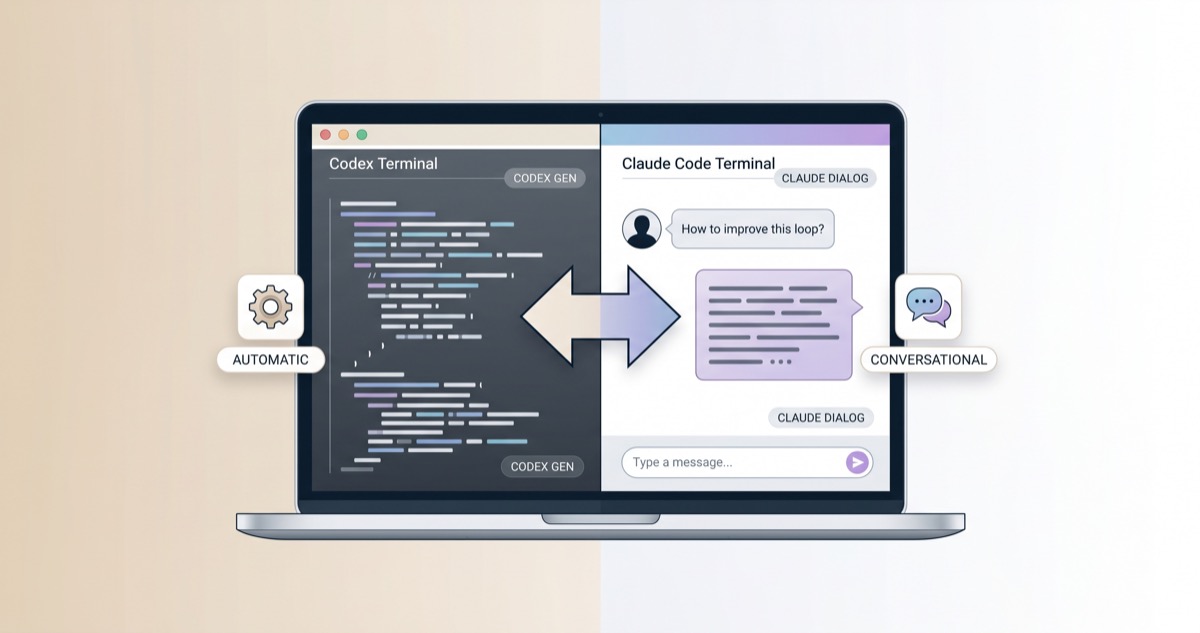
Codex and Claude Code aren’t competitors — they’re complementary. Here’s how to split work between them for better results than either alone.
Part 2: Codex vs Claude Code
Part 3: CLI Install Troubleshooting
Part 4: Error Messages Guide
Part 5: Korean UTF-8 Setup
Part 6: Outage Backup Guide
▶ Part 7: Codex + Claude Code Parallel (this post)
Part 2 compared Codex and Claude Code, and Part 6 covered switching during outages. This post goes a step further. Not just for emergencies — here's why running Codex and Claude Code in parallel as a daily workflow produces better results than either tool alone.
Why Codex Claude Code Parallel Setups Work
The two tools coexist cleanly on the same project. Claude Code reads CLAUDE.md, Codex reads AGENTS.md, and neither touches the other's configuration file.
Both files can live side by side at the project root with zero conflicts:
[code lang="text"] my-project/ ├── CLAUDE.md # Claude Code project instructions ├── AGENTS.md # Codex project instructions ├── src/ └── ... [/code]
Keep shared conventions (coding standards, banned patterns) in AGENTS.md, and add Claude Code-specific rules to CLAUDE.md.
Strengths by Tool — What to Assign Where
Claude Code Excels At
- Multi-file refactoring — tracks cross-file dependencies and makes consistent changes
- Frontend/React work — won 67% of blind code quality comparisons in developer tests
- Complex debugging — conversational approach narrows down root causes effectively
- Planning and ideation — architecture decisions, approach discussions
Codex Excels At
- Terminal-native tasks — scripting, DevOps, system admin (77.3% on Terminal-Bench vs Claude Code's 65.4%)
- Token efficiency — uses roughly 4x fewer tokens on equivalent tasks
- Autonomous execution — runs without asking clarifying questions, ideal for repetitive generation
- Parallel execution — up to 6 concurrent agent threads
Codex Claude Code Parallel — Practical Patterns
Pattern 1: Role-Based Splitting
Assign thinking tasks to Claude Code, execution tasks to Codex.
| Task Type | Tool | Why |
|---|---|---|
| Architecture design | Claude Code | Context understanding, trade-off analysis |
| Bug root cause analysis | Claude Code | Cross-file causality tracing |
| Repetitive code generation | Codex | Autonomous + token efficient |
| Test writing | Codex | Strong at patterned tasks |
| DevOps scripts | Codex | Terminal native |
| Frontend components | Claude Code | UI/React quality advantage |
Pattern 2: Pipeline
Claude Code for planning → Codex for review. Developer reports suggest this combination catches 30–50% more issues than using either tool alone.
Pattern 3: VS Code Dual Terminal
Split the VS Code terminal left and right — Codex on the left, Claude Code on the right. Switch by task type without changing windows.
Codex Claude Code Parallel — Gotchas
Git Conflict Prevention
Never run both tools on the same branch simultaneously. Each tool modifying the same files differently causes git conflicts. The fix is git worktrees:
[code lang="bash"]
Isolate Codex work in a separate worktree
git worktree add ../project-codex feature-codex [/code]
Multiple Claude Code Instances
Running three or more Claude Code instances on a single repo reportedly corrupts the branch within minutes. Always use separate branches or worktrees.
Cost
Running both tools means paying for both Anthropic and OpenAI separately. Routing repetitive work to the more token-efficient Codex helps manage total costs.
Don't Duplicate Config Rules
Don't copy the same rules into both CLAUDE.md and AGENTS.md. When you update one, the other falls behind. Keep shared rules in one file and have the other reference it.
Codex Claude Code Parallel, the Bottom Line
Codex and Claude Code aren't competitors — they're complementary. Claude Code understands; Codex executes. Splitting work by what each tool does best produces better outcomes than using either alone. The question isn't "which tool is better" — it's "which task gets which tool."