How to Work With AI — Stop Treating It Like a Vending Machine
Everyone says ‘use AI,’ but most people don’t know how. The problem isn’t the tool — it’s the approach. Here are 5 common mistakes, better prompt patterns, and the one skill that actually matters.
Part 2: Senior Part-Timers
Part 3: AI Replaces Tasks, Not Jobs
Part 4: Why Waiting on Reskilling Is a Risk
Part 5: AI-Skilled Workers Earn 56% More
▶ Part 6: How to Work With AI (this post)
Everyone says "use AI." Companies push it, LinkedIn posts preach it, and your coworker who just discovered Claude won't stop talking about it. But when you actually open ChatGPT or Claude and stare at the blank prompt, the question hits: what exactly am I supposed to say to this thing? Learning how to work with AI isn't about mastering a tool. It's about changing how you approach work itself.
Picture this: you type "write me a quarterly sales report," get back something generic and useless, and close the tab thinking AI is overhyped. The AI wasn't the problem — the approach was. An MIT Sloan study found that half of the quality difference in AI output comes from how users prompt, not from the model itself. Same AI, dramatically different results depending on how you use it.
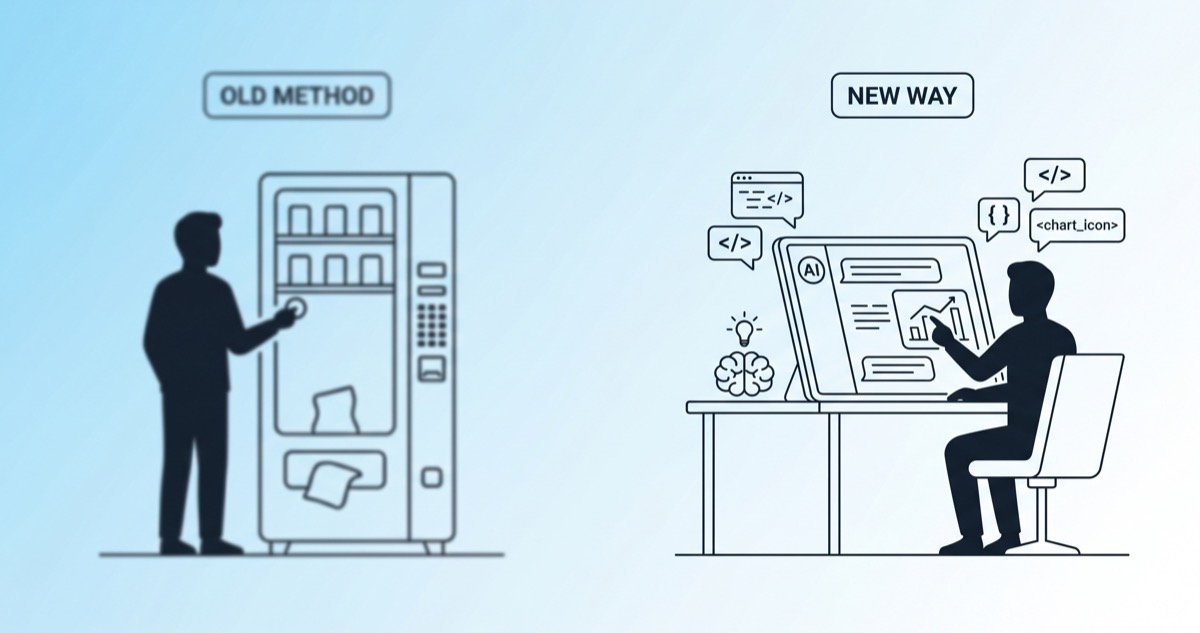
How to Work With AI — It's Not a Vending Machine
The most common mistake is treating AI like a vending machine. Insert coin, press button, receive product. Drop a one-liner and expect a polished deliverable.
Write me a quarterly sales report.
That's never going to produce good results. AI is closer to a colleague than a vending machine.
Think about delegating to a team member. You wouldn't just say "make a report" and walk away. You'd share what format is needed, which data to use, who the audience is, what tone to hit. Working with AI requires the same thing.
5 Mistakes People Make When Using AI
Watch how people actually use AI at work, and the same patterns show up repeatedly.
| Mistake | Bad Example | Result |
|---|---|---|
| No context | "Write a reply to this email" | Generic boilerplate |
| Ignoring AI's questions | AI: "What tone?" → "Just do it" | Mismatched output |
| Vague feedback | "This is weird, redo it" | Same mistakes repeated |
| Asking for everything at once | "Write the entire business plan" | Shallow overview |
| Using output without verification | Quoting AI-generated statistics | Spreading misinformation |
The fifth one is particularly dangerous. A 2026 study found that AI hallucination rates on general knowledge tasks range from 15% to 52% across models. AI is remarkably good at producing plausible-sounding wrong numbers. Every statistic AI generates needs verification.
What Separates People Who Use AI Well From Those Who Don't
The difference is simple: how structurally you provide the right context.
Bad Prompt
Reply to this customer complaint email.
This gets you a generic apology template. Obviously AI-written.
Good Prompt
Below is a complaint email from a customer. [paste the email]
This person has been a customer for 3 years with a high repeat purchase rate. Draft a reply that includes: an apology, specific resolution options (refund or exchange), and a commitment to prevent recurrence. Tone should be respectful but not stiff — genuine rather than corporate.
Same AI, same type of task. Night-and-day difference in output quality. The key is giving AI the right information, structured clearly. According to 2026 prompting research, optimal context length is roughly 150–300 words — not "more is better," but "right context, well-organized."
How to Work With AI — Three Core Skills
After extensive trial and error, the skills that matter boil down to three:
- Conversation design: Accept the flow of "prompt → AI clarification → draft → feedback → revision" instead of expecting perfection on the first try
- Material provision: Paste in the actual email, screenshot, or document. Give AI the raw materials to work with. The AI instructions file management guide covers this in depth
- Work articulation: The ability to explain "what I'm doing right now and why" to AI — the single most important skill
The third one is the hardest. People who use AI well aren't people who write good prompts. They're people who can articulate their own work clearly. It's the same muscle as explaining requirements to a developer — transferring enough context for someone else to act on it.
How to Work With AI — Articulation Is the Real Skill
BCG's 2025 report found that AI tool usage increased rapidly, but actual business impact lagged behind. A ManpowerGroup survey showed 56% of workers with AI access received no training at all. Access to the tool wasn't the bottleneck — knowing how to use it was.
Here's the core principle of how to work with AI, in one line:
AI proficiency = not prompt engineering, but the ability to articulate your own work
If you can clearly explain what you're doing and why, what output you need, who will see it, and what tone it requires, any AI will produce decent results. If you can't articulate your own work clearly, even the latest model will give you mediocre output.
The 56% salary premium for AI literacy covered in Part 5 traces back to this exact skill. It's not tool mastery that creates the pay gap — it's the ability to structure and communicate work.
How to Work With AI, the Bottom Line
Learning how to work with AI is less about picking up a new technology and more about shifting how you work. Dropping a one-line command like inserting a coin into a vending machine won't unlock AI's real value. Start treating AI like a colleague: share context, provide structured materials, answer its clarifying questions honestly, and give specific feedback on its output. The moment that flow becomes second nature, you've genuinely learned how to work with AI.